
Book a Free Scoping Call
No commitment required
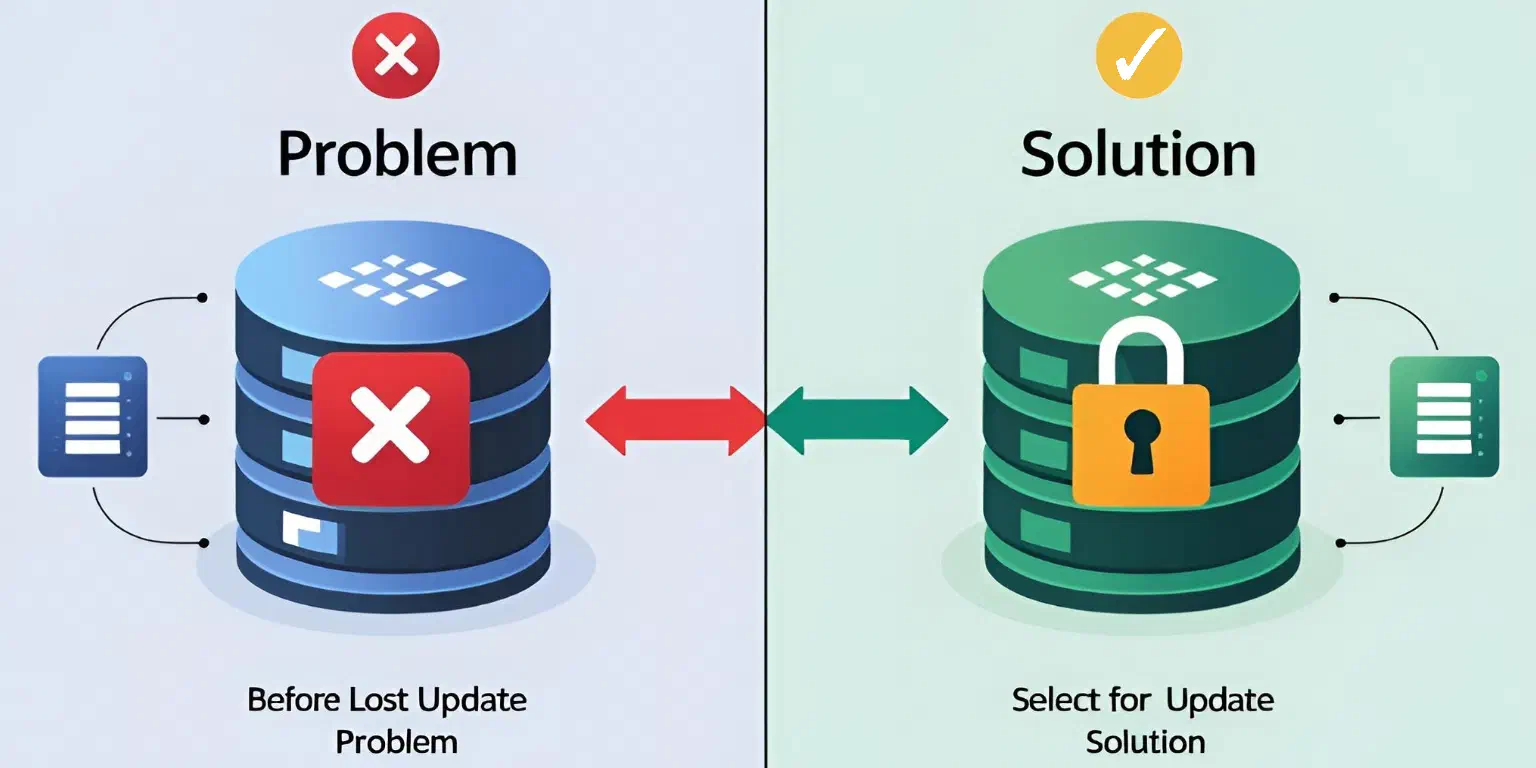
Have you ever faced a situation where multiple users update the same data simultaneously, but the result is incorrect?
If this sounds familiar, you’ve likely run into the Lost Update a common concurrency issue.
This happens when multiple users access the same data, update it independently, and unknowingly overwrite each other’s changes. The result?
Incorrect stock counts or outdated inventory.
But don’t worry — In this Post, we’ll explore the Lost Update problem by looking at the following items, to make it clear:
Understanding the Lost Update – We’ll use an animation to illustrate the issue in a demo scenario.
Analyzing Sample Code with this Problem and the Fix for it – We’ll analyze an implementation that can lead to the lost update and how we can fix it.
A Hands-on Demo – You can check out this GitHub repository with the working example.
You will understand the problem, and see how you can approach this issue to solve the problem. Let’s dive in!
Imagine a small watermelon stand with just five watermelons. Three customers —Harold, Alice, and Joe— each want to buy some. Harold grabs one, Alice takes two, and Joe wants three.
Before making their purchases, they all check how many watermelons are left. But because they’re doing this at almost the same time, they all see the same original number —five.
The system doesn’t update fast enough to reflect what others are buying in real time.
In the end, the system mistakenly states that there are still three watermelons left, even though all five have already been sold.
This mix-up happens because multiple transactions are happening at once, and they’re not properly coordinated. It’s a classic example of the lost update problem — where different actions override each other, messing up the final count.
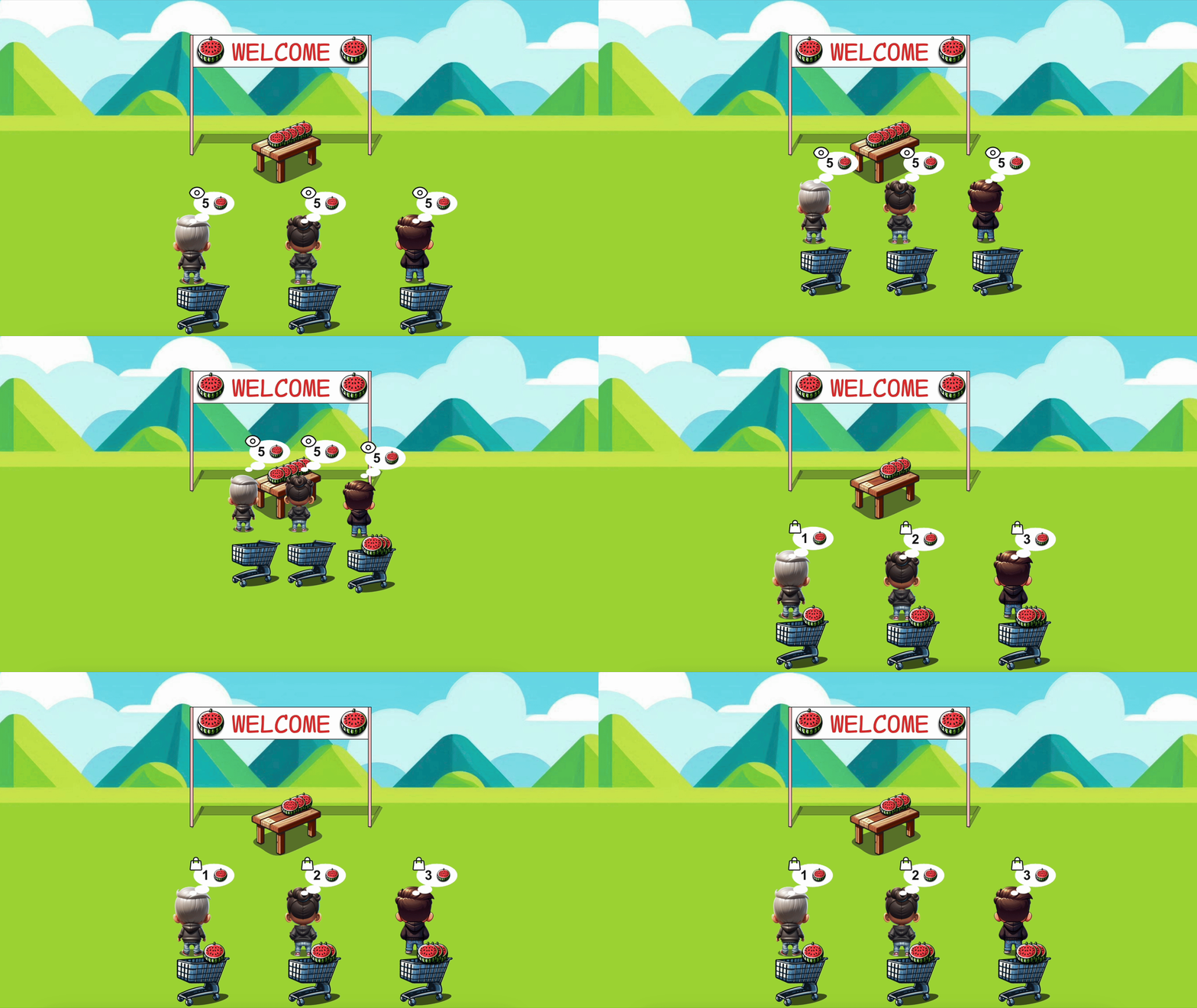
Handling inventory in a web application might seem straightforward. At first, query the stock, verify availability, and update the quantity after a purchase. However, when multiple users interact with the system at the same time, things can quickly go wrong. The diagram below shows what happens when two customers (or more) place an order at almost the same time:

The issue arises during the interlude because multiple users access the same stock value before any updates take place. Since the system does not lock or synchronize these operations, inconsistent stock calculations occur, leading to incorrect inventory data.
Now, let’s take a closer look to the issue in question, this time from the code.
In this example, we simulate a checkout system where multiple customers are trying to buy watermelons from the same stock. At first glance, the code seems fine:
export async function checkoutIncorrect(amount: number) {
  if (amount <= 0) {
    return { error: 'Invalid amount' }
  }

  try {
    // ❌ Problem: No row-level locking, multiple users can read the same stock value!
    const res = await sql`SELECT stock FROM watermelons`
    const stock = res.rows[0]?.stock ?? 0

    debug('Issue', stock)

    // ❌ Problem: The check does not guarantee stock availability due to race conditions
    if (stock < amount) {
      return { error: 'Not enough stock' }
    }

    // Simulate delay to mimic real-world execution time gap
    setTimeout(() => {
      // ❌ Problem: Race condition – multiple users may overwrite stock concurrently
      sql`UPDATE watermelons SET stock = ${stock - amount}`
    }, 150) // Artificial delay

    revalidatePath('/issue') // 🔹 Refresh the UI, but the data might already be incorrect
    return {
      success: true,
      priorStock: stock,
      amount: amount,
      remainingStock: stock - amount, // ❌ This might be inaccurate due to concurrent updates!
    }
  } catch (error) {
    revalidatePath('/issue')
    return { error: `Transaction failed, ${error}` }
  }
}
However, this process does not take into account that multiple users may be performing the same steps simultaneously.
SELECT ... FOR UPDATE In Action!Now that we’ve found the problem, let’s fix it using row-level locking.
The key to avoid race conditions in concurrent transactions is to prevent two users from reading and updating the same stock value simultaneously.
We do this using SELECT ... FOR UPDATE inside a database transaction.
export async function checkout(amount: number) {
  if (amount <= 0) {
    return { error: 'Invalid amount' }
  }

  const client = await sql.connect() // 🔹 Get a database client for transactions

  try {
    await client.query('BEGIN') // 🔹 Start transaction to ensure atomicity

    // ✅ Improvement: Lock the row to prevent lost updates
    const res = await client.query(
      'SELECT stock FROM watermelons LIMIT 1 FOR UPDATE'
    )
    const stock = res.rows[0]?.stock ?? 0

    // ✅ Improvement: Ensure stock is available before proceeding
    if (stock < amount) {
      await client.query('ROLLBACK') // 🔹 Rollback to maintain data integrity
      return { error: 'Not enough stock' }
    }

    // ✅ Improvement: Safely update stock within the transaction
    await client.query('UPDATE watermelons SET stock = stock - $1', [amount])

    await client.query('COMMIT') // 🔹 Commit the transaction once the update is successful

    revalidatePath('/fix') // 🔹 Refresh the UI with correct stock data
    return {
      success: true,
      priorStock: stock,
      amount: amount,
      remainingStock: stock - amount,
    }
  } catch (error) {
    await client.query('ROLLBACK') // 🔹 Rollback on failure to prevent inconsistent data
    return { error: `Transaction failed, ${error}` }
  } finally {
    client.release() // 🔹 Ensure the connection is released back to the pool
  }
}
SELECT stock FROM watermelons LIMIT 1 FOR UPDATE prevents other transactions from reading or modifying the stock until this transaction is done.By using FOR UPDATE, we ensure that each user gets an up-to-date view of the stock before making any changes.
This prevents outdated reads and lost updates, ensuring that inventory calculations remain correct.
Key improvements over the checkoutIncorrect function are:
BEGIN, COMMIT, ROLLBACK) to ensure atomicity.FOR UPDATE to prevent lost updates from concurrent users.We’ve put together a Next.js project that demonstrates the lost update problem and how to solve it using row-level locking with SELECT ... FOR UPDATE in case you want to check it out firsthand.
The code snippets and images in this post were taken directly from this project, so you can explore the full implementation, run the example locally, and experiment with different approaches.
🔗 Check out the repository here
Feel free to explore it, and try different solutions. See you on the next one!